What makes this file tricky
Exporting tracks as audio preserves playback but bakes in edits. Edit Transfer moves the saved clips as separate editable items.
Move a saved Audacity project into REAPER with separate media, tracks and editable audio clips.
Free preview US$9 per project export
Files stay on your device. No account needed.
AUP3Input format
RPP + WAVOutput format
Local processingFiles stay in your browser
Exporting tracks as audio preserves playback but bakes in edits. Edit Transfer moves the saved clips as separate editable items.
Supports saved Audacity 3 AUP3 projects up to 96 MiB. Transfers mono and stereo clips and their hidden trim media. Effects, automation and labels are outside the supported scope.
Save and close the Audacity project, then open its AUP3 file.
Check the tracks and editable clip positions in the preview.
Extract the downloaded ZIP and open the RPP alongside its media folder in REAPER.
Try a sample or open your own files. The preview runs in this browser.
Choose a file or try the sample to see the result here.
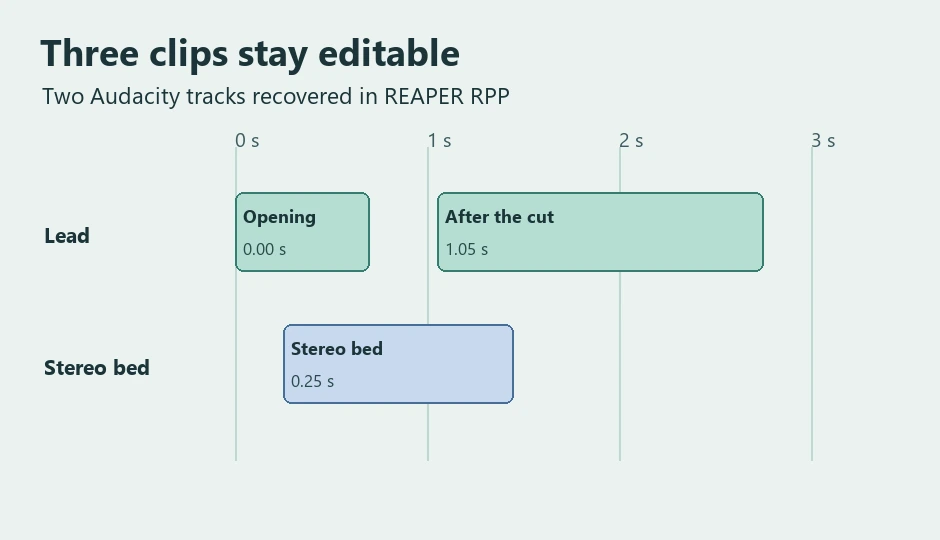
The export packages an RPP session with WAVs and preserves the recorded clip starts, gaps and available trim media.
| Tool | What it does |
|---|---|
| Edit Transfer | The export packages an RPP session with WAVs and preserves the recorded clip starts, gaps and available trim media. |
| AATranslator | Paid session conversion software. Check supported input and output formats for your version. |
| Audacity Export Audio | Export rendered audio in formats such as WAV. |
The links describe each alternative's documented workflow.
$0
Open a sample or your own files and inspect the result before deciding whether to export.
US$9 per project export
Pay once to download the full result shown in your preview.
Already paid? Restore your purchase.
Keep the media folder that accompanies the RPP. Extract the whole ZIP before opening the RPP.
Save and close the project first so the AUP3 database contains the latest saved edits.
Clip placement and source audio transfer. Recreate effects and automation in REAPER.
Supported stereo clips keep their two channels.
The preview is free. Each project export is US$9, charged once at download.
Your files are processed in your browser. Stripe handles checkout separately.
No account is needed. Complete Stripe Checkout and return to this browser to download the result.
Open this tool in the same browser and select Restore purchase. Prepared exports are kept locally for up to seven days.
Follow the workflow and check the formats the tool supports.
See what stays in the browser and what Stripe receives at checkout.
Find out how to recover a purchase and which details to keep.
Open the tool and preview the result for free.